How to follow your size in a multi-size knitting pattern
Most garment patterns are written for several sizes at once, so every number comes in a little group. Here is how to read them, and how to make sure you only ever follow yours.
What the brackets mean
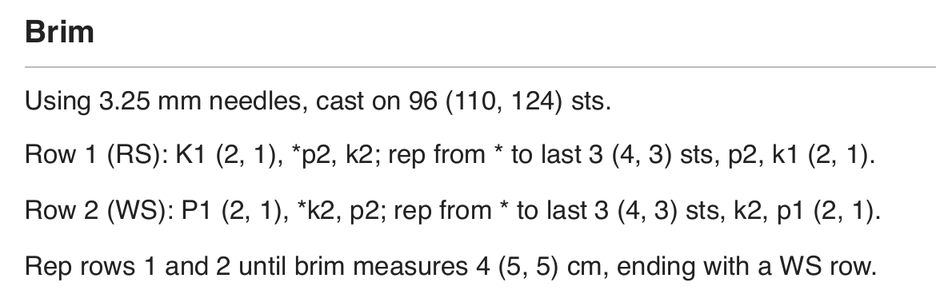
The smallest size comes first and the others follow in brackets, in the same order as the size list at the top of the pattern. If the sizes are S (M, L), then cast on 96 (110, 124) sts means 96 stitches for S, 110 for M and 124 for L. Some patterns use slashes or a table instead, but the order is the same.
When there is only one number
A number on its own, with no brackets, is the same for every size.
A 0 or a dash
A 0 means there is nothing to do for that size, as in decrease 0 (2, 4) times. A dash (-) means that instruction does not apply to that size at all, so skip it.
Choosing your size
Choose by the finished measurements, not the size name. The schematic shows the measurements of the finished piece, and the pattern usually says how much ease, or room, the design is meant to have.
Stop reading the wrong number
- Mark your size before you start. Go through the whole pattern and highlight or circle every number for your size, on a copy rather than your only print.
- Check each number as you go. Count which position your size is in, first, second or third, and use the same position every time.
- Be careful at page breaks and tables, where the order can be easy to lose.
With The Knitting App
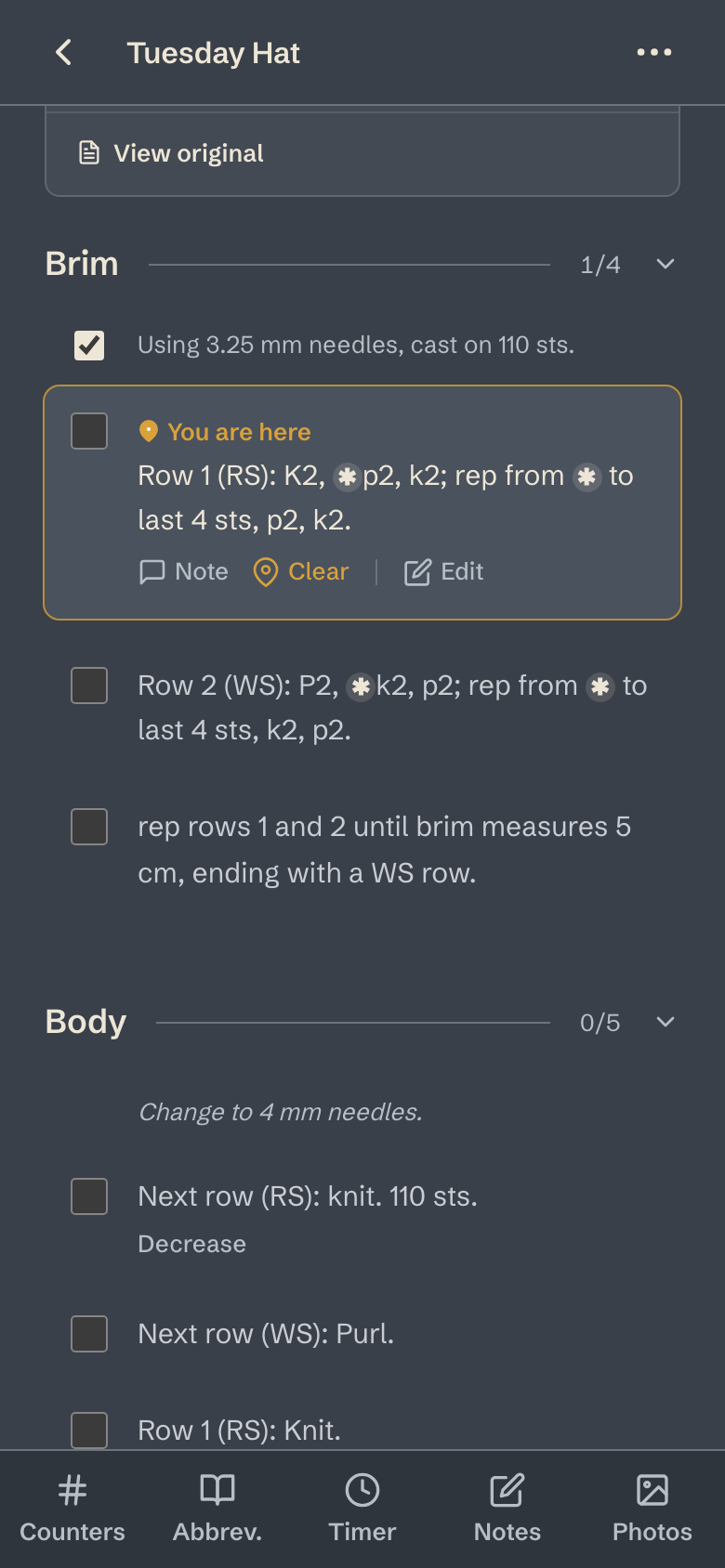
Pick your size when you start a project, and every row shows only your numbers. On the pattern above, knitting size M, the brim reads cast on 110 sts and Row 1 (RS): K2, *p2, k2; rep from * to last 4 sts, p2, k2. The printed pattern is still one tap away if you want to check it.