How to read a knitting chart and keep your place
A chart is a picture of your knitting, one square for each stitch. Once you know which way to read it, it is often quicker to follow than written rows.
How a chart works
Each square is one stitch and each row of squares is one row of knitting. The key next to the chart says what each symbol or colour means. Row 1 is usually at the bottom, and you work up the chart the same way the fabric grows. A few charts number row 1 at the top, so check the row numbers before you start.
Which way to read each row
- Knitting flat: right-side rows are read from right to left, and wrong-side rows from left to right. Row numbers on the right edge usually mark right-side rows, and numbers on the left mark wrong-side rows.
- Knitting in the round: every round is a right-side round, so read every row from right to left.
A chart shows the fabric from the right side, so many symbols mean one thing on right-side rows and another on wrong-side rows. An empty square is often knit on the right side, purl on the wrong side. The key says which.
Repeats
A group of stitches inside a bold or coloured outline is a repeat. Work the stitches inside it as many times as the row needs, and the stitches outside it once, at the start or end of the row. The written instructions say how many times.
Keep your place
- A magnetic board and strip. Many knitters put the strip just above the row they are on, so the rows already worked stay in view to check against the fabric.
- Highlighter tape or a sticky note does the same job on a printed page.
- Make it bigger. Enlarge the chart when you print it, or zoom in on a screen, so the rows are easy to tell apart.
- Mark finished rows in pencil if you will knit the chart more than once.
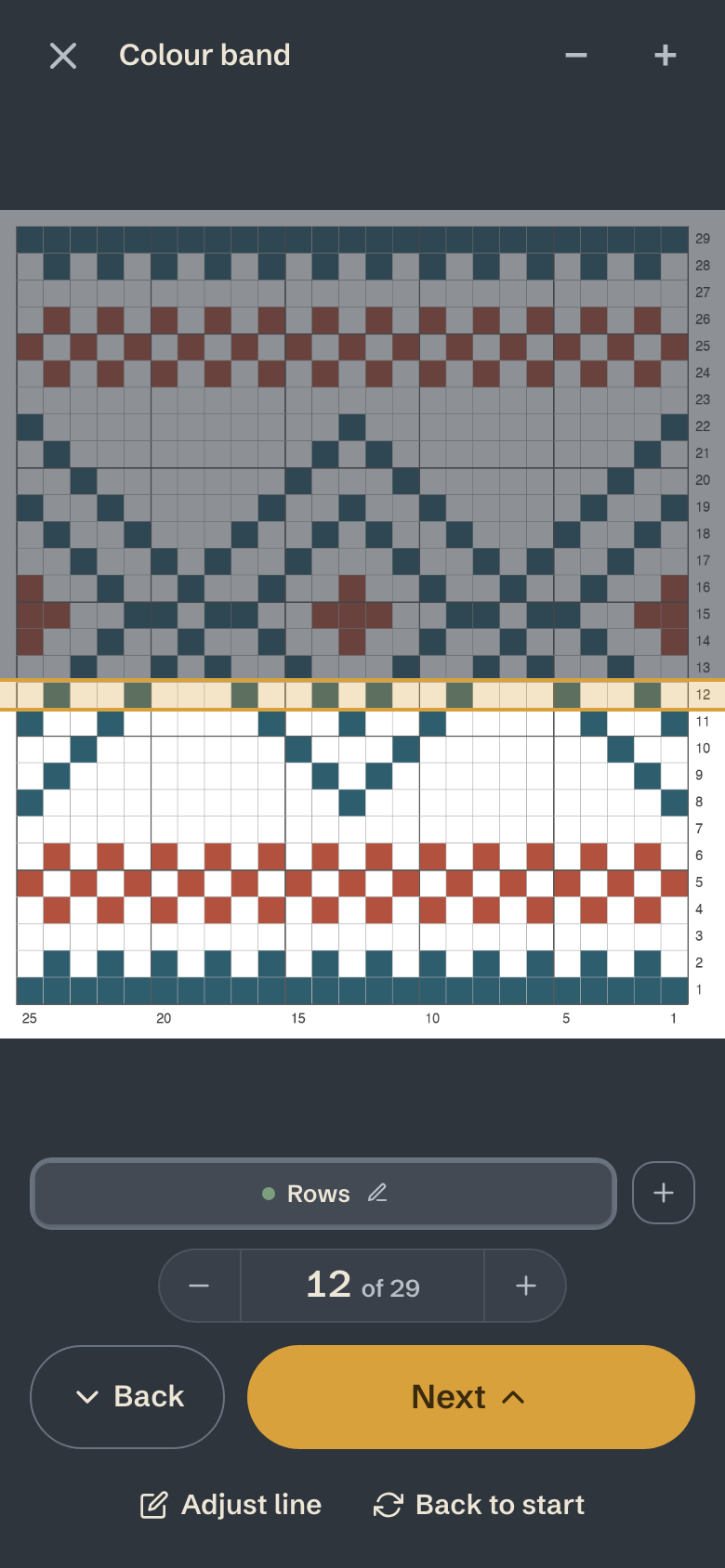
With The Knitting App
Add a picture of the chart, from your imported pattern or a photo of the page. Tap the row you are on and make the line one row tall. After that, tap Next at the end of each row and the line steps up one, with the rows still to come shaded. Back and Undo fix a tap too many, and your row counter counts along with the line. Your place is saved on every device. The chart tracker is part of Maker.